Home/Universal Maps Downloader/Customized Google maps
Set the stylers by hand, or import a style from snazzymaps.com in one paste. Both routes end in the same downloadable map.
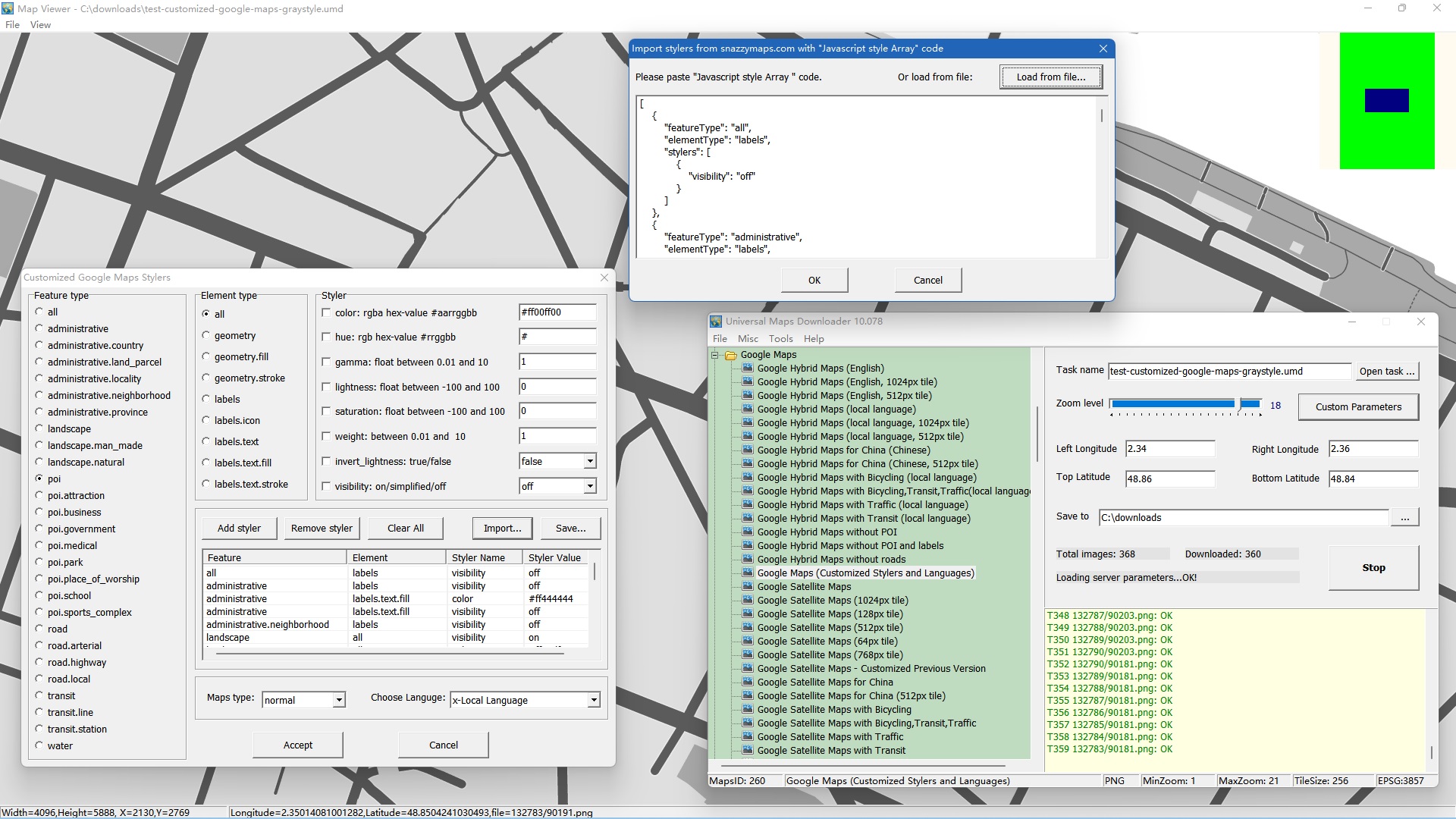
Firstly, we select Maps type "Googel Maps (Customized Stylers and Languages)" , then the button "Custom Parameters" will be enabled. See the screen shot:

Click the button, will show a dialog window:
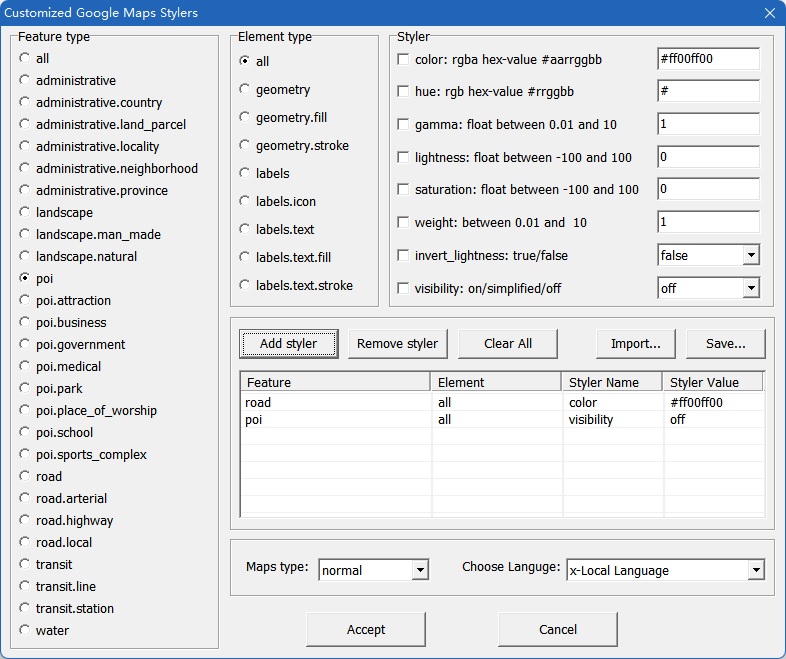
Steps to set these parameters:
Select feature type, then select element type, then set styler values. You need to check the styler checkbox if you want to set it.
After set styler values, you need to click button "Add Styler" to add the values to the list.
Only values that are added into the list will be used when downloading tiles.
We can choose Maps type, there are 3 types: normal, terrain, hybrid.
Lastly, choose one language.
OK, all settings are finished, click button "Accept", then back to downloader window, start to download!
About these stylers and parameters, we recommend two sites, you can learn more: snazzymaps.com and mapstyle.withgoogle.com.
We also provide an Import feature, click button "Import...", then will show a dialog:
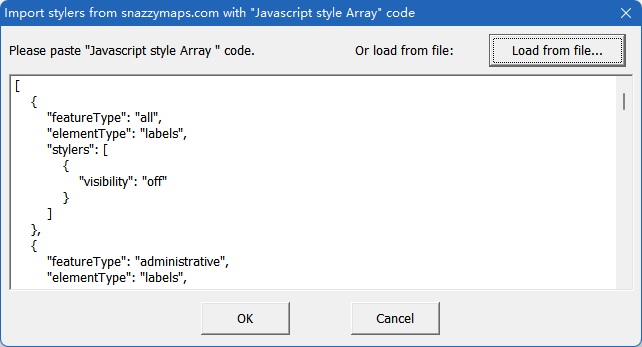
Copy code from snazzymaps.com, then paste here. Click button "OK", all these code will be automatically added to list.
Example: download google normal maps, with green roads, poi visibility=off.

Example: import code from snazzymaps.com. The code sample is here: graystyle.xt.