Home/OpenStreetMap Downloader/How to use
From choosing a map type to stitching the tiles into one big map — the whole workflow, with a screenshot of every step.
How to download?
See the screenshot. It is very easy to use.
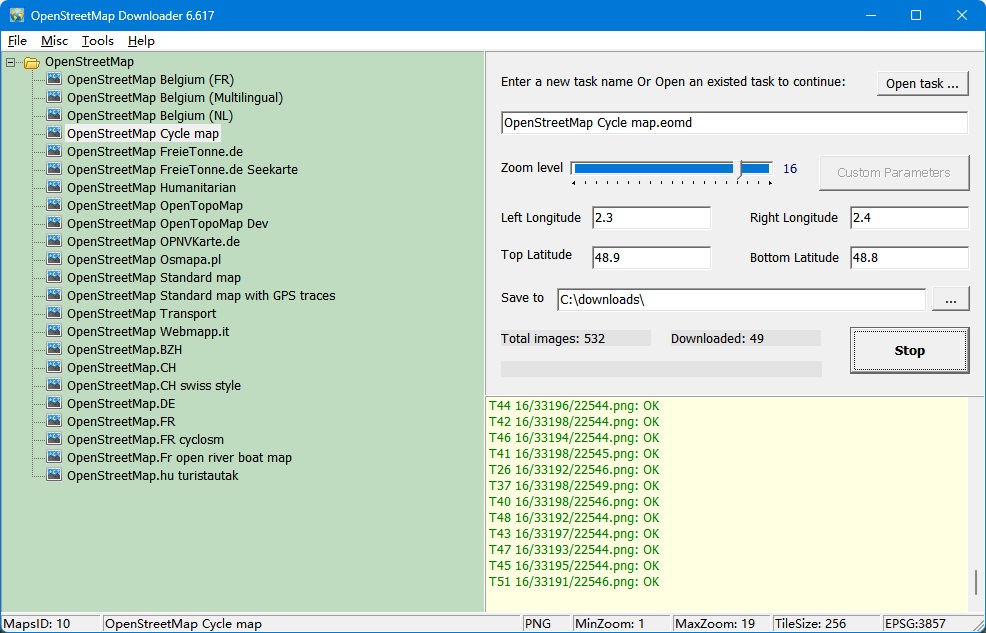
1, Enter a task name, such like "Mytask.eomd". All task files are saved as *.eomd.
If you want to continue an old task, click button "Open task... ".
2, Select Maps type.
3, Define the zoom level. The zoom level defines the image precision. For trial version, the max zoom level is 13, so you can not download high precision images.
4, There are 4 parameters (Left Longitude, Right Longitude, Top Latitude, Bottom Latitude) to define the area scope of images that you want to download.
Left Longitude: -180<value<180, for East, the value is positive, for West, the value is negative.
Right Longitude:-180<value<180, for East, the value is positive, for West, the value is negative.
Top Latitude:-85<value<85,for North, the value is positive, for South, the value is negative.
Bottom Latitude:-85<value<85,for North, the value is positive, for South, the value is negative.
5, Select a path to save the project and downloaded images
6, Then click button "Start", OK, start downloading now ... !
When downloading, the log window will display the downloading process. When finished, the log will be saved to a file.
We also provide command line support. Click here to see how to start a task from command line.
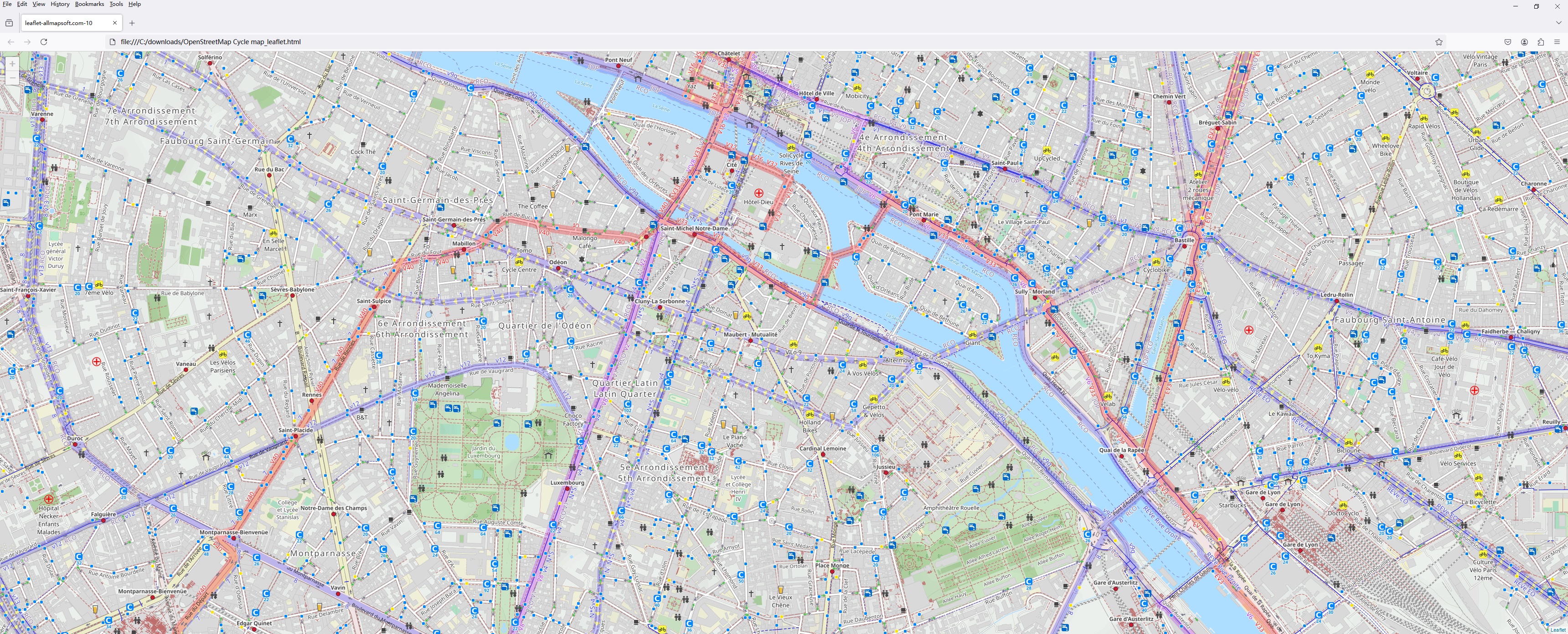
You can view downloaded maps without combining them into one big BMP.
We provide a tool to view the images, you can run it from menu "Tools"->"Map Viewer".
Then open a task from menu "File"->"Open task..." to view the map.

View map with browser:
How to combine small images into one big map?
After downloading, all small images are saved on your disk. Then you can combine them into one big image map.
We provide a tool : Combiner.exe. You can run it from menu "Tools"->"Map Combiner".
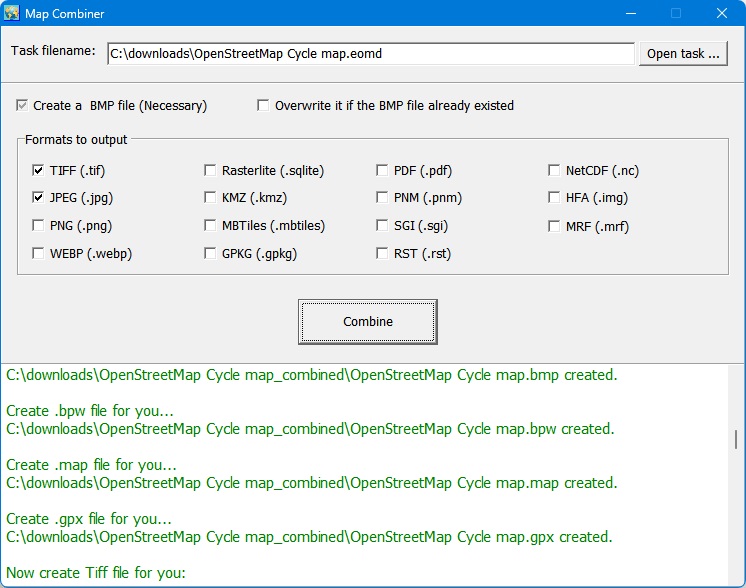
The KMZ file, you can use it for Garmin. Here is an example that put KMZ file as the overlayer on Google Earth:

Support Email: openstreetmap@allmapsoft.com