Home/Universal Maps Downloader/Custom Map Type
Any tiles you are allowed to use can be downloaded if you can describe the URL of one tile. Four template formats are supported, and there is a parameters txt file for each example below.
Firstly, we select Maps type "Custom Map Type (EPSG3857 and EPSG4326 supported)" , then the button "Custom Parameters" will be enabled. See the screen shot:
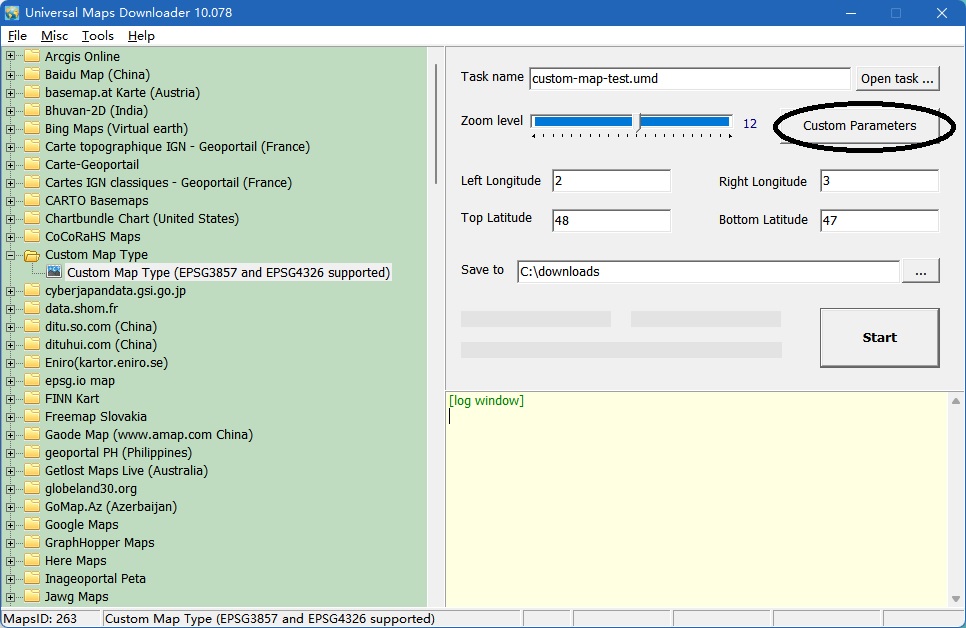
Click the button, will show a dialog window:
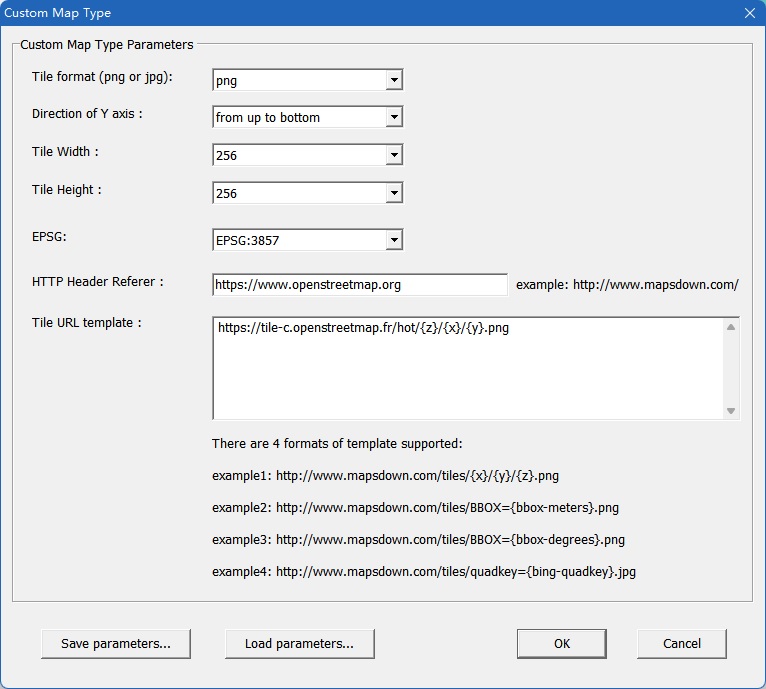
Input all parameters, click button "OK", back to downloader window, start to download.
It supports EPSG3857 and EPSG4326.
There are 4 formats of tile template url: xyz, bbox-meters, bbox-degrees, bing-quadkey.
Please see the examples:
Example 1: xyz-3857-example (get parameters txt file here)
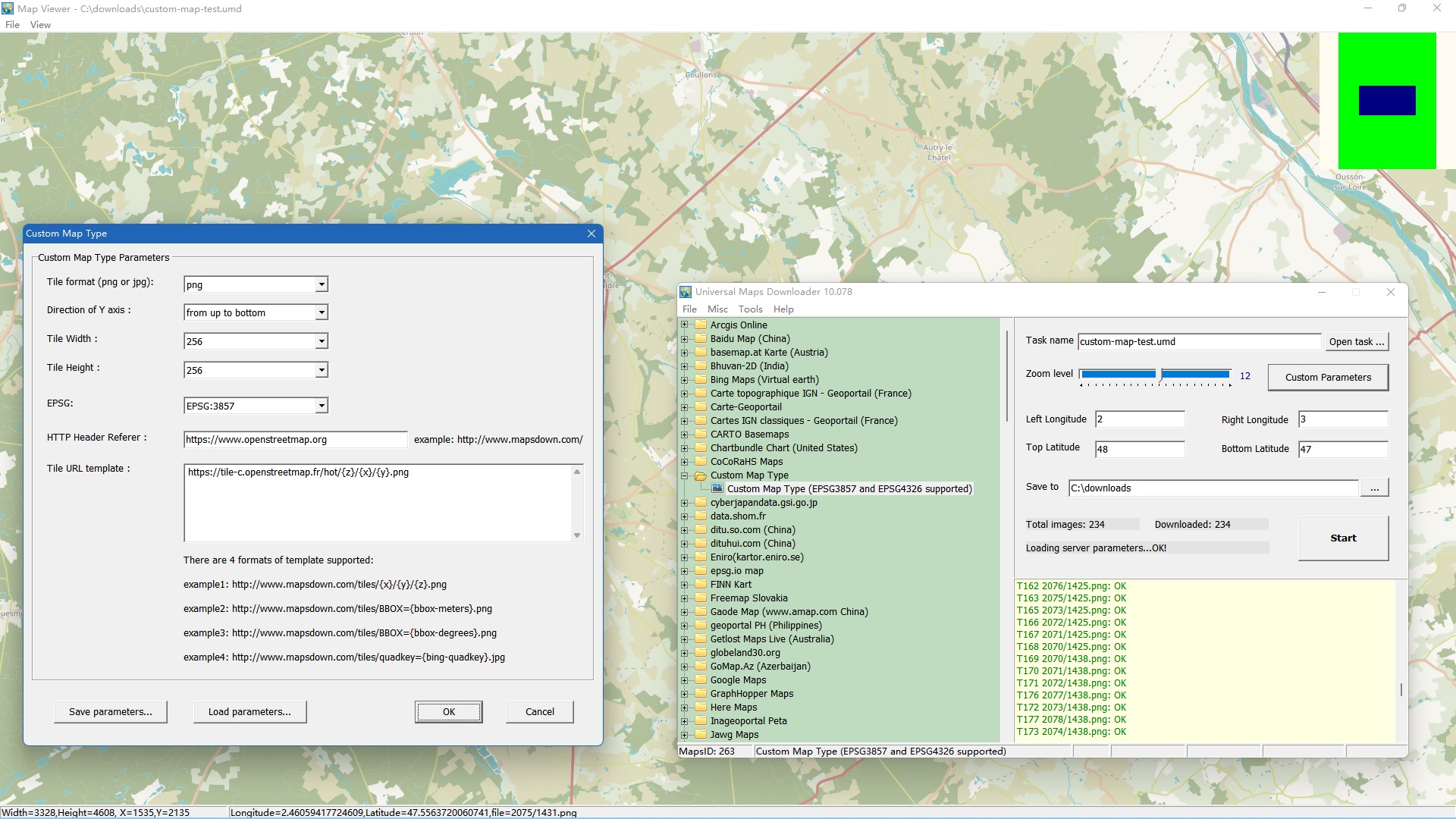
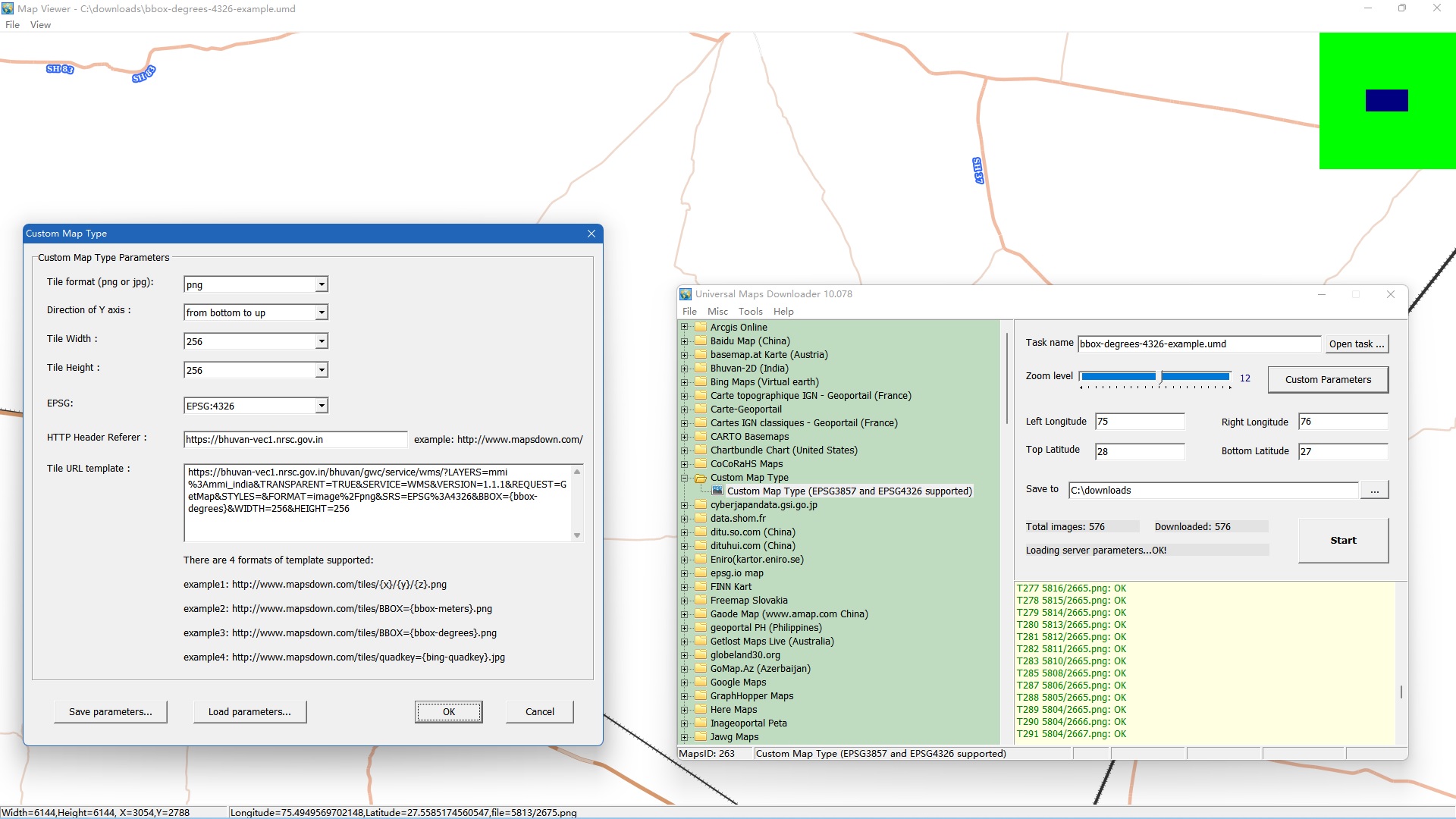
Example 2: bbox-degrees-4326-example (get parameters txt file here)
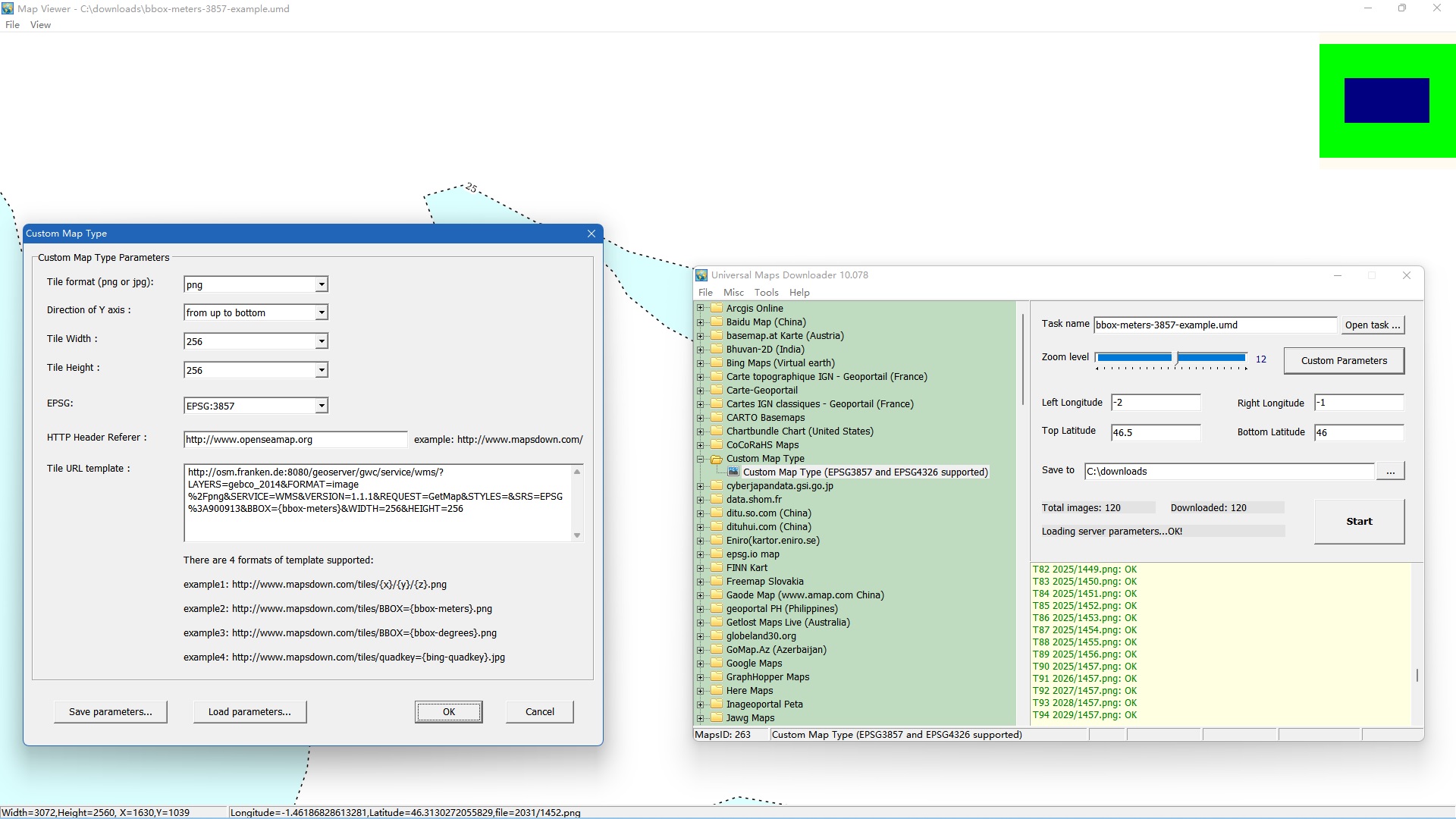
Example 3: bbox-meters-3857-example (get parameters txt file here)
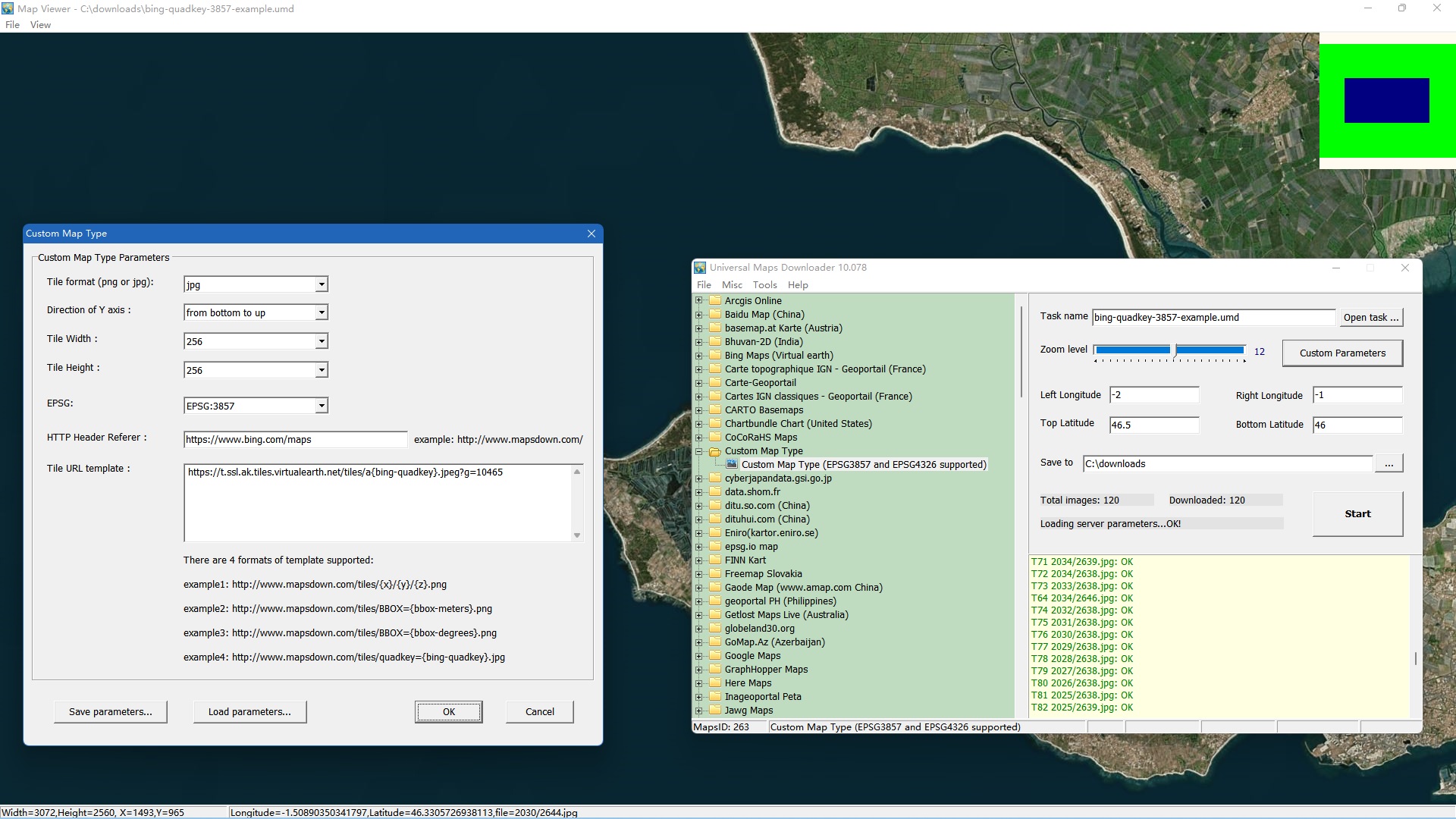
Example 4: bing-quadkey-3857-example (get parameters txt file here)